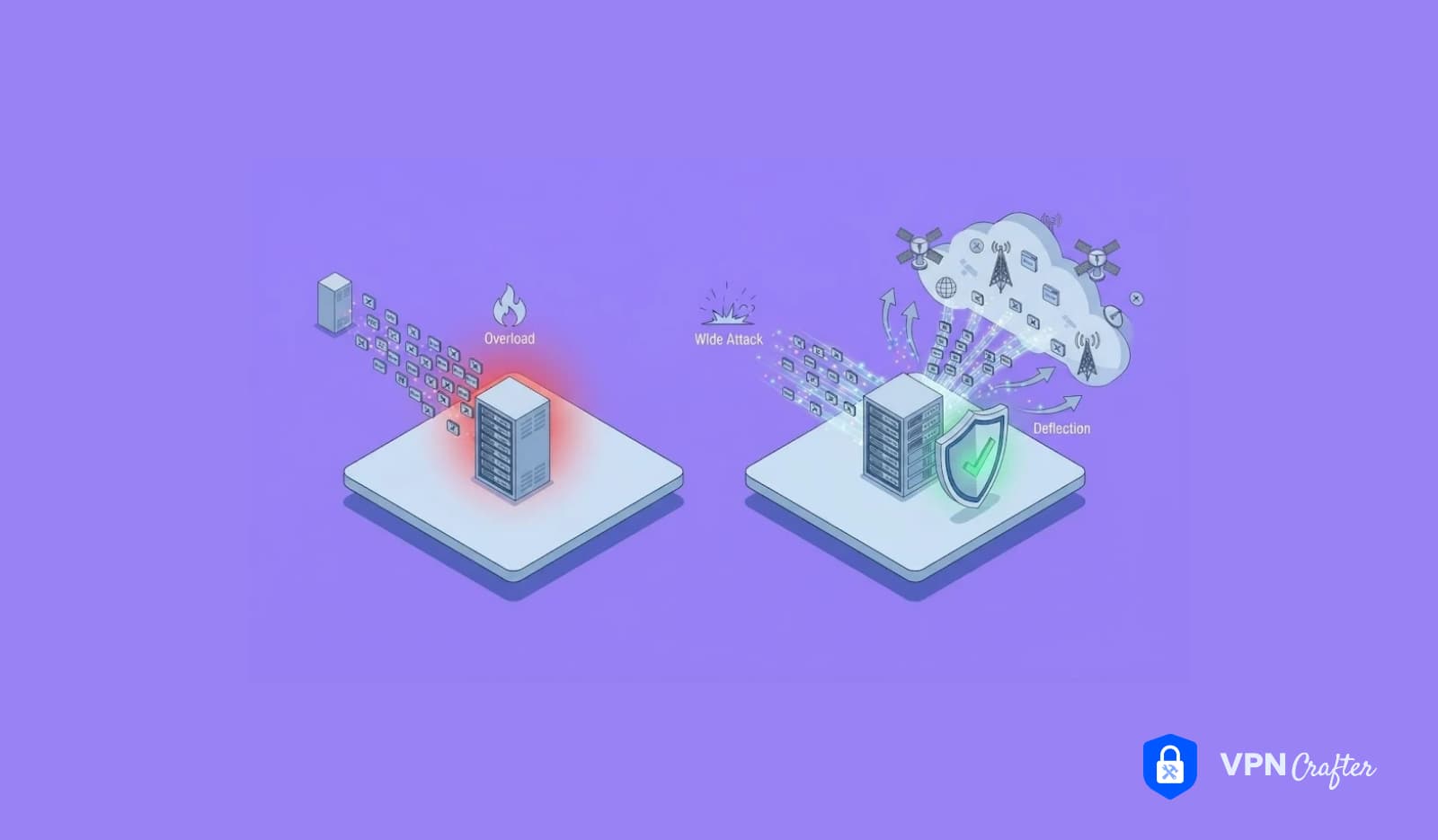

Your server ran fine at 2:00 p.m. By 2:05, pages time out, support tickets pile up, and the dashboard shows traffic far above normal. Nothing in your code changed. Someone is flooding you.
That scenario is why DoS vs DDoS attacks matters beyond vocabulary. Both aim to knock a service offline, yet they differ in how the traffic arrives and how hard it is to stop. At VPN Crafter, we run network infrastructure where uptime is the product, so we treat this difference as a daily engineering concern.
This guide explains what each attack is, how they compare, how to detect them, and which defenses hold up. It also answers a question many people ask: can a VPN help?
What Is the Difference Between DoS and DDoS?
A DoS (denial of service) attack floods a target from a single source. A DDoS (distributed denial of service) attack floods it from many sources at once, usually a botnet of compromised devices. DDoS attacks are larger, harder to block by IP address, and harder to trace. A VPN can hide your own IP from attackers, but it does not protect a public server from being flooded.

The rest of this article expands on that box.
Table of Contents
- What Is a DoS Attack?
- What Is a DDoS Attack?
- DoS vs DDoS: Side-by-Side Comparison
- How DoS and DDoS Attacks Work: Three Attack Families
- Why DDoS Attacks Are So Hard to Stop
- Real-World Examples
- How to Detect DoS and DDoS Attacks
- How to Prevent and Mitigate Attacks
- Can a VPN Protect Against DDoS Attacks?
- Protection by Audience: Home, Work, and Providers
- How to Recover From an Attack
- Expert Insights
- Statistics and Data Worth Citing
- Common Mistakes
- Best Practices
- FAQs
- Conclusion and Key Takeaways
What Is a DoS Attack?
A DoS attack is an attempt to make a service unavailable by overwhelming it, or by exploiting a flaw that makes it crash. The name stands for denial of service. Legitimate users cannot reach the target, and that outage is the entire point.
A classic DoS attack comes from one machine and one connection. The attacker sends more requests than the server can handle, or sends malformed data that exhausts memory or processing power.
Single-source attacks are easier to handle than distributed ones. Once you identify the offending IP address, a firewall rule can block it. Even so, a small server with weak limits can fall over quickly, so “simple” does not mean harmless.
What Is a DDoS Attack?
A DDoS attack uses many machines at the same time. The “D” stands for distributed. Attackers usually build that army from a botnet, a network of compromised computers, routers, cameras, and other internet-connected devices that obey a remote controller.
Each bot sends only a modest amount of traffic. Together, they produce a flood that can saturate bandwidth, exhaust server resources, or overwhelm an application. Because the traffic comes from thousands of real IP addresses, blocking one source accomplishes almost nothing.
Device owners often do not know their hardware takes part. A poorly secured home router or smart camera can work for an attacker for months without any visible symptom.
DoS vs DDoS: Side-by-Side Comparison
| Factor | DoS attack | DDoS attack |
|---|---|---|
| Traffic sources | One device or connection | Many devices, often thousands |
| Scale | Limited by one machine’s capacity | Can reach very high volume |
| Tools | Scripts and simple flooding tools | Botnets, rented attack services, amplification |
| Detection | Easier, since traffic clusters on one source | Harder, since traffic looks like many users |
| Mitigation | Block the source IP, apply rate limits | Needs upstream filtering, scrubbing, and capacity |
| Complexity | Low | Higher, with coordination and infrastructure |
| Duration | Often short | Can last minutes, hours, or repeat in waves |
| Targets | Servers, apps, home connections | Websites, DNS providers, game servers, businesses |
| Impact | Service slowdown or crash | Prolonged outage and potential revenue loss |
| Traceability | Easier to trace | Hard, because sources are spread out or spoofed |
| Typical symptoms | One IP dominates the logs | Traffic surges from many networks at once |
Most differences trace back to one fact: distribution. When traffic comes from everywhere, simple blocking fails.
One nuance deserves mention. A DoS attack can technically come from several devices if one person controls them directly, but the industry usually calls that a DDoS. Reflection attacks add another wrinkle. A single attacker can trigger replies from thousands of third-party servers, so the victim sees a distributed flood even though one person started it.
How DoS and DDoS Attacks Work: Three Attack Families
Security teams group attacks by the part of the network they hit. Knowing the family tells you which defense applies.
Volumetric attacks
These try to fill your bandwidth. The target’s internet connection becomes so crowded that legitimate traffic cannot pass.
- UDP flood: The attacker sends huge numbers of UDP packets to random ports, forcing the target to respond or discard them.
- ICMP flood: Floods the target with ping-style requests.
- DNS amplification: The attacker sends small DNS queries to open resolvers while spoofing the victim’s IP address. The resolvers send much larger responses to the victim.
- NTP amplification: The same trick, using misconfigured time servers.
Amplification and reflection attacks are especially efficient. A small request from the attacker becomes a much larger flood against the victim.
Protocol attacks
These abuse how network protocols work and exhaust state tables in servers, firewalls, and load balancers.
- SYN flood: The attacker starts many TCP connections but never completes the handshake. The server holds half-open connections until it runs out of room.
- TCP flood: Overwhelms connection handling with excessive TCP traffic.
- Ping of Death: Sends malformed or oversized ICMP packets that crashed older systems. Modern operating systems largely patched this flaw, but it remains a useful historical example of a pure DoS technique.
Application layer attacks
These target the software itself, such as a web server or API. They use less bandwidth, which makes them harder to spot.
- HTTP flood: Sends a large volume of seemingly valid web requests, such as repeated searches or login attempts.
- Slow attacks: Hold connections open with trickling data so the server runs out of available connections.
Application layer attacks can look like a sudden burst of popularity. That similarity to legitimate traffic is exactly why they succeed.
| Attack | Layer | What it exhausts |
|---|---|---|
| UDP flood | Network and transport | Bandwidth |
| ICMP flood | Network | Bandwidth and processing |
| DNS or NTP amplification | Network and transport | Bandwidth, via reflection |
| SYN flood | Transport | Connection tables |
| Ping of Death | Network | Memory (legacy systems) |
| HTTP flood | Application | CPU, memory, application capacity |
Why DDoS Attacks Are So Hard to Stop
Several factors make defense difficult.
Distribution. Thousands of sources mean no single IP to block. Blocking by country or range can shut out real customers.
Legitimate-looking traffic. Bots often send valid requests. Telling them apart from real users takes behavioral analysis, not simple rules.
Spoofing. Attackers forge source addresses in many network-layer attacks, which hides their origin and enables reflection.
Scale beyond your link. If the flood exceeds your connection capacity, even a perfect firewall cannot help. The pipe is already full before traffic reaches your equipment.
Low attacker cost. Attack services exist for hire. That lowers the skill needed, so small businesses and individual gamers face real risk.
Real-World Examples
Two incidents show how the techniques play out. Both are widely documented, but verify the details against primary sources before publishing.
The 2016 attack on Dyn. A botnet built from compromised internet-connected devices, known as Mirai, targeted the DNS provider Dyn. Because many popular sites depended on Dyn’s DNS, users struggled to reach services that were technically still running. The lesson: attackers often hit shared infrastructure to cause wide disruption.
The 2018 GitHub attack. Attackers abused misconfigured memcached servers as amplifiers. Small requests produced enormous responses aimed at the platform. GitHub routed traffic through a DDoS protection provider and recovered within minutes. The lesson: amplification can multiply a modest attacker’s reach, and upstream mitigation capacity matters.
How to Detect DoS and DDoS Attacks
Early detection shortens the outage. Watch for these signs:
- Sudden, unexplained spikes in traffic
- Slow page loads or frequent timeouts
- Many requests hitting one endpoint or URL
- Traffic from unusual regions or unfamiliar user agents
- A surge in half-open connections
- Network devices running at full capacity with no legitimate cause
A DoS attack often shows one dominant source in the logs. A DDoS attack looks like a broad surge from many networks.
Here is a simple detection routine:
- Establish a baseline. Record normal traffic, request rates, and connection counts.
- Monitor continuously. Use network monitoring and intrusion detection tools that alert on deviation.
- Inspect the traffic pattern. Check source distribution, protocols, and targeted endpoints.
- Compare against legitimate events. Rule out a marketing campaign, product launch, or news mention.
- Escalate quickly. Contact your hosting provider or upstream ISP once the pattern looks hostile.
Without a baseline, you cannot recognize abnormal. Teams that skip this step often waste the first thirty minutes of an incident guessing.
How to Prevent and Mitigate Attacks
No single tool stops everything, so layered defense works best.
Rate limiting. Cap how many requests one source can make. This blunts simple DoS attacks and some application floods.
Firewalls and web application firewalls. A properly configured firewall filters obviously bad traffic. A web application firewall adds inspection for HTTP-level abuse.
Traffic filtering and scrubbing. Specialized services absorb traffic upstream, remove malicious packets, and forward clean traffic to you.
Content delivery networks and anycast. Spreading traffic across many locations dilutes a flood.
SYN protection. Techniques such as SYN cookies help servers survive handshake floods.
Capacity planning. Extra bandwidth and server headroom buy time, though they rarely solve large attacks alone.
Secure configuration. Close open resolvers and unused services, and patch exposed software. Misconfigured servers can become amplifiers against others.
Can a firewall stop a DDoS attack? Partly. It helps with application-level and small attacks, but a large volumetric flood saturates your connection before the firewall sees much of it. Upstream protection fills that gap.
Can a VPN Protect Against DDoS Attacks?
A VPN offers narrow, real protection, but it has limits.
What it does. A VPN hides your real IP address from other users and services. If an attacker cannot see your home IP, they cannot easily aim a flood at your connection. That matters for streamers, competitive players, and anyone exposed in voice chat or peer-to-peer lobbies.
What it does not do. A VPN does not shield a public website or game server. If your business hosts a service at a known address, attackers target that address directly. A VPN also cannot stop attacks against the VPN provider’s own servers, which is why provider-side capacity and filtering matter.
So can a VPN prevent DoS attacks? It reduces the chance your personal connection becomes a target. It does not replace mitigation for servers.
Gamers feel this most. If that describes you, our guide to the best VPN for gaming covers server placement and protocol choices. A common worry follows: does protection cost you speed? Our explainer on can a VPN increase my ping answers that with testing methods.
Protection by Audience
Home users
Home networks rarely face targeted DDoS attacks, though gamers and streamers are exceptions. Three habits help most. Update your router firmware, change default credentials, and disable unused remote access features. Those steps also keep your devices out of a botnet.
Many households choose VPN solutions for home to hide their IP across every device. Setting up a VPN on router extends that coverage to consoles and smart TVs that cannot run an app. Router hardware limits speed, so choose capable equipment.
Endpoint hygiene matters too. Mac users comparing the best VPN for Mac should look for a native app and clear privacy terms. Browser-only tools such as the best VPNs for Chrome protect browser traffic, not the whole device, so they do not cover games or other apps.
Businesses and remote teams
Companies face two separate risks. Public-facing services need DDoS mitigation. Internal access, such as VPN gateways and remote desktops, needs hardening, since attackers sometimes flood those entry points.
A business VPN secures staff connections to internal resources, though it does not protect your public website. For larger organizations, a corporate VPN solution adds centralized control, authentication, and logging. Teams choosing tools for remote staff can compare approaches under VPN for work.
Resilience also benefits from distributed design. A single VPN gateway is a single point of failure, which is one reason some teams explore decentralized VPNs. The trade-offs in performance and maturity need honest evaluation.
VPN service providers
If you run a VPN service, you present an attractive target. Attackers hit VPN servers to knock users offline, or to unmask users in some situations. Plan for it from day one.
Providers should combine upstream filtering, rate limiting on authentication endpoints, patched software, and capacity headroom. Segmenting infrastructure limits the damage when one node falls.
For teams starting out, white label VPN development can speed up launch, but confirm how the platform handles attack mitigation before you promise uptime. Uptime also affects revenue, which matters when you monetize a VPN app, because outages drive churn and refunds.
At VPN Crafter, we design around the assumption that traffic floods will happen. Free services deserve a cautious note. A free VPN service or a best free VPN service list can look appealing, but capacity, security investment, and privacy terms vary a lot. Evaluate how a provider funds its network before trusting it with sensitive traffic.
How to Recover From an Attack
Recovery works best with a written plan. A typical sequence:
- Confirm the attack. Verify it is hostile traffic, not a legitimate surge.
- Notify your provider. Hosting companies and ISPs can filter upstream or reroute traffic.
- Activate mitigation. Enable scrubbing, tighten rate limits, or turn on challenge pages for suspicious requests.
- Preserve evidence. Save logs, packet captures, and timestamps for analysis and any report to authorities.
- Communicate. Tell customers what happened and what you are doing, with honest estimates.
- Restore gradually. Bring services back in stages, and watch for a second wave.
- Review and harden. Identify what failed and close the gap.
Attackers sometimes return, so the post-incident review matters as much as the response.
Expert Insights
These observations reflect common industry practice and experience, not a formal study.
Capacity is a feature. Many outages blamed on “sophisticated attacks” come from basic gaps: no rate limiting, exposed services, or no upstream protection agreement. Fixing fundamentals prevents a large share of incidents.
Application attacks deserve more attention than they get. Teams focus on big volumetric floods because they make headlines. Low-and-slow application attacks can do equal harm with little bandwidth.
Here is a hypothetical example. Imagine a small SaaS company whose login page slows to a crawl every evening. Bandwidth looks normal, so the team suspects a bug. Log review shows thousands of login attempts per minute from hundreds of addresses. Rate limiting on the login endpoint and a challenge step for suspicious clients restore normal performance. This is an illustration, not a real case study.
Prepare before you need it. An incident contact list, a baseline dashboard, and a provider agreement take hours to set up. During an attack, they save much more time.
Statistics and Data Worth Citing
I did not include specific figures because I could not verify them in this pass. Before publishing, gather current numbers and name each source in the text, with the year:
- Cloudflare DDoS threat reports for attack frequency, size, and common vectors.
- CISA (U.S. Cybersecurity and Infrastructure Security Agency) guidance on understanding and responding to DDoS attacks.
- NETSCOUT threat intelligence reports for attack trends and duration data.
- Akamai State of the Internet reports for application layer attack data.
- ENISA (EU Agency for Cybersecurity) threat landscape reports for European context.
- NCSC (UK National Cyber Security Centre) denial of service guidance.
- IETF RFCs and vendor documentation for protocol-level details such as TCP handshakes and SYN cookies.
Use primary sources, add the publication year to each number, and avoid repeating figures from roundup sites without checking them.
Common Mistakes
Treating DoS and DDoS as the same problem. Blocking an IP works against one and fails against the other.
Relying only on a firewall. It cannot absorb traffic that fills your connection.
Skipping baselines. Without normal-traffic data, you cannot spot abnormal traffic quickly.
Leaving servers open to abuse. Open resolvers and misconfigured services help attackers hit others.
Ignoring IoT devices. Unpatched routers and cameras recruit themselves into botnets.
Overselling VPN protection. A VPN hides your IP but does not defend a public server.
Having no response plan. Improvising during an outage costs time and credibility.
Best Practices
- Record normal traffic patterns and alert on deviations.
- Apply rate limiting at the edge and on sensitive endpoints.
- Use upstream mitigation or a scrubbing service for public-facing services.
- Patch software and close unused ports and open resolvers.
- Change default passwords on routers and smart devices.
- Spread infrastructure across locations where practical.
- Write and rehearse an incident response plan.
- Keep logs long enough to support post-incident analysis.
- Be honest with customers about what your protection covers.
Frequently Asked Questions
What is the main difference between DoS and DDoS?
A DoS attack comes from one source, while a DDoS attack comes from many. That distribution makes DDoS attacks larger and harder to block.
What does DoS stand for?
DoS stands for denial of service. The attack aims to deny legitimate users access to a service.
What does DDoS stand for?
DDoS stands for distributed denial of service. “Distributed” means the attack traffic comes from many devices at once.
Is DDoS worse than DoS?
Usually, yes. DDoS attacks reach greater scale and resist simple blocking. A DoS attack can still cause serious damage to a poorly protected server.
Can a DoS attack come from multiple devices?
If one attacker controls several devices, most people call it a DDoS attack. The distinction depends on whether traffic comes from a single source or many.
Why are DDoS attacks difficult to stop?
Traffic arrives from thousands of sources, often looks legitimate, and can exceed your bandwidth. Blocking one address does little.
How can you tell if you are experiencing a DDoS attack?
Look for sudden traffic spikes, slow pages, timeouts, and bursts of requests from many networks. Compare against legitimate events such as promotions.
Can a firewall stop a DDoS attack?
It stops some traffic, particularly smaller or application-level floods. Large volumetric attacks can saturate your connection before the firewall helps.
Can a VPN protect against DDoS attacks?
A VPN hides your IP address, which lowers the risk of a targeted attack on your connection. It does not protect a public server from being flooded.
How do businesses prevent DDoS attacks?
They combine rate limiting, firewalls, web application firewalls, CDNs, and upstream scrubbing, backed by monitoring and an incident plan.
How do you recover from a DDoS attack?
Confirm the attack, contact your provider, enable mitigation, preserve logs, communicate with customers, restore services in stages, and review what failed.
How does a DDoS amplification attack work?
The attacker sends small requests to third-party servers with the victim’s IP address forged. Those servers send much larger replies to the victim.
Conclusion
The DoS vs DDoS attacks question comes down to distribution. One source is easy to block and trace. Thousands of sources are not. That single difference explains why defenses range from a simple firewall rule to upstream scrubbing and global capacity.
For individuals, good habits go a long way: secure your router, update your devices, and use a trustworthy VPN to hide your IP. For businesses and providers, resilience depends on baselines, layered mitigation, and a response plan you have already rehearsed.
Want a VPN built with uptime and resilience in mind? Explore what VPN Crafter offers, and talk to our team about secure connections for home users, remote teams, and businesses.