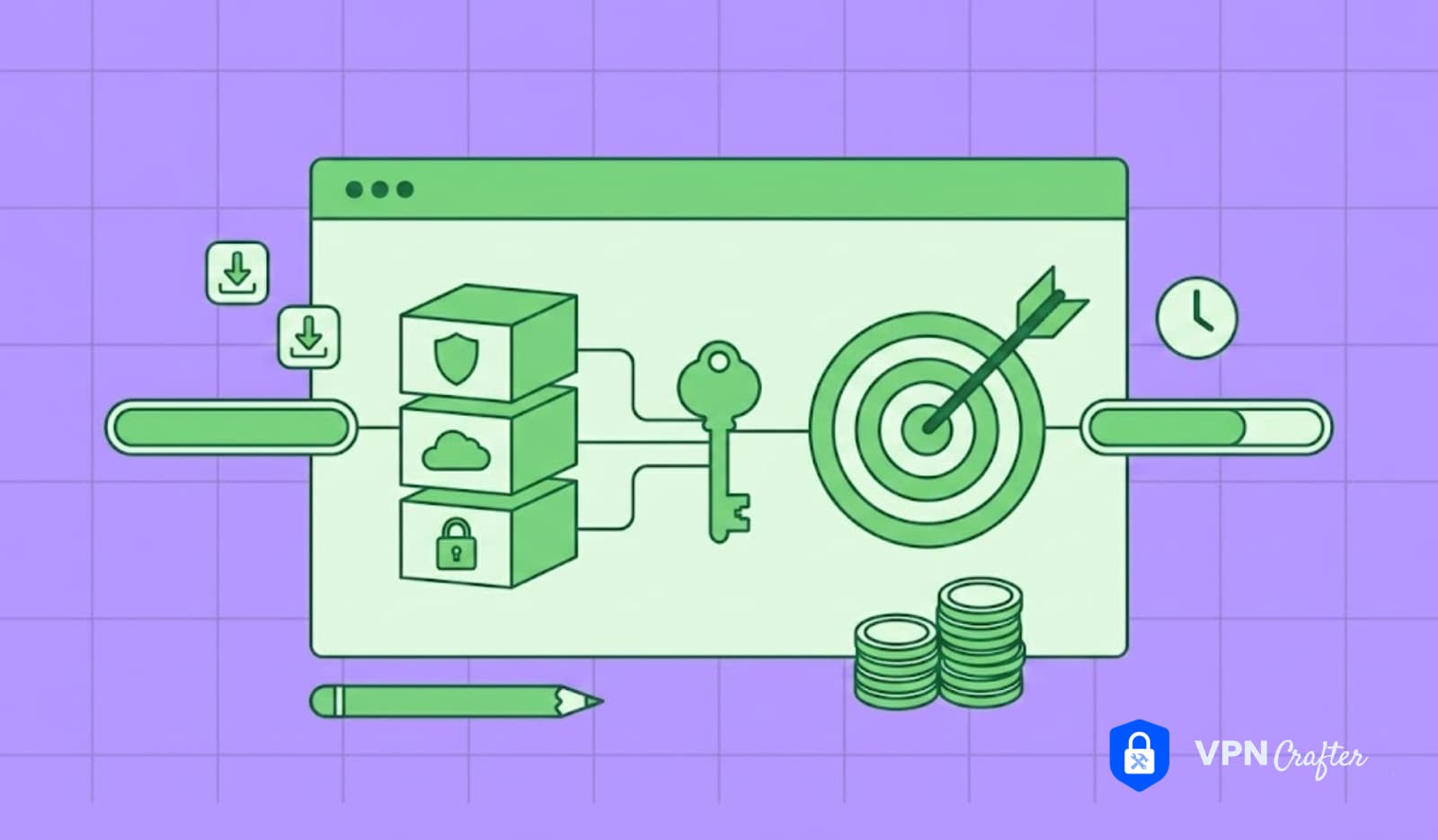

Every time you open a browser, send a message, or stream a video, your data travels across the internet like a postcard sent through the mail. Anyone handling that postcard—your internet provider, the coffee shop Wi-Fi owner, or a malicious hacker sitting nearby—can read what is written on it. A VPN, or Virtual Private Network, turns that postcard into a sealed envelope that only the intended recipient can open.
Welcome to VPN for Dummies, the definitive beginner’s guide that strips away technical jargon and explains online privacy in plain English. Whether you are a first-time user in São Paulo, a remote worker in Berlin, a student in Mumbai, or a retiree in Florida wondering why everyone keeps talking about encryption, this article meets you exactly where you are.
Numbers tell a compelling story. Global VPN revenue reached approximately $86.02 billion in 2026 and is projected to hit $182.09 billion by 2030, growing at a CAGR of 20.6%. Roughly 23% of internet users aged 16 and over now use a VPN for at least some online activity. In the United Arab Emirates, VPN app downloads reached an astonishing 85.50% of the population in 2025.
Yet despite this explosive growth, most people still do not understand what a VPN actually does. They know it relates to privacy. It involves hiding your location. It helps access shows from other countries. This guide transforms that vague awareness into confident understanding. Let us begin.
What Is a VPN? The Simplest Explanation Possible
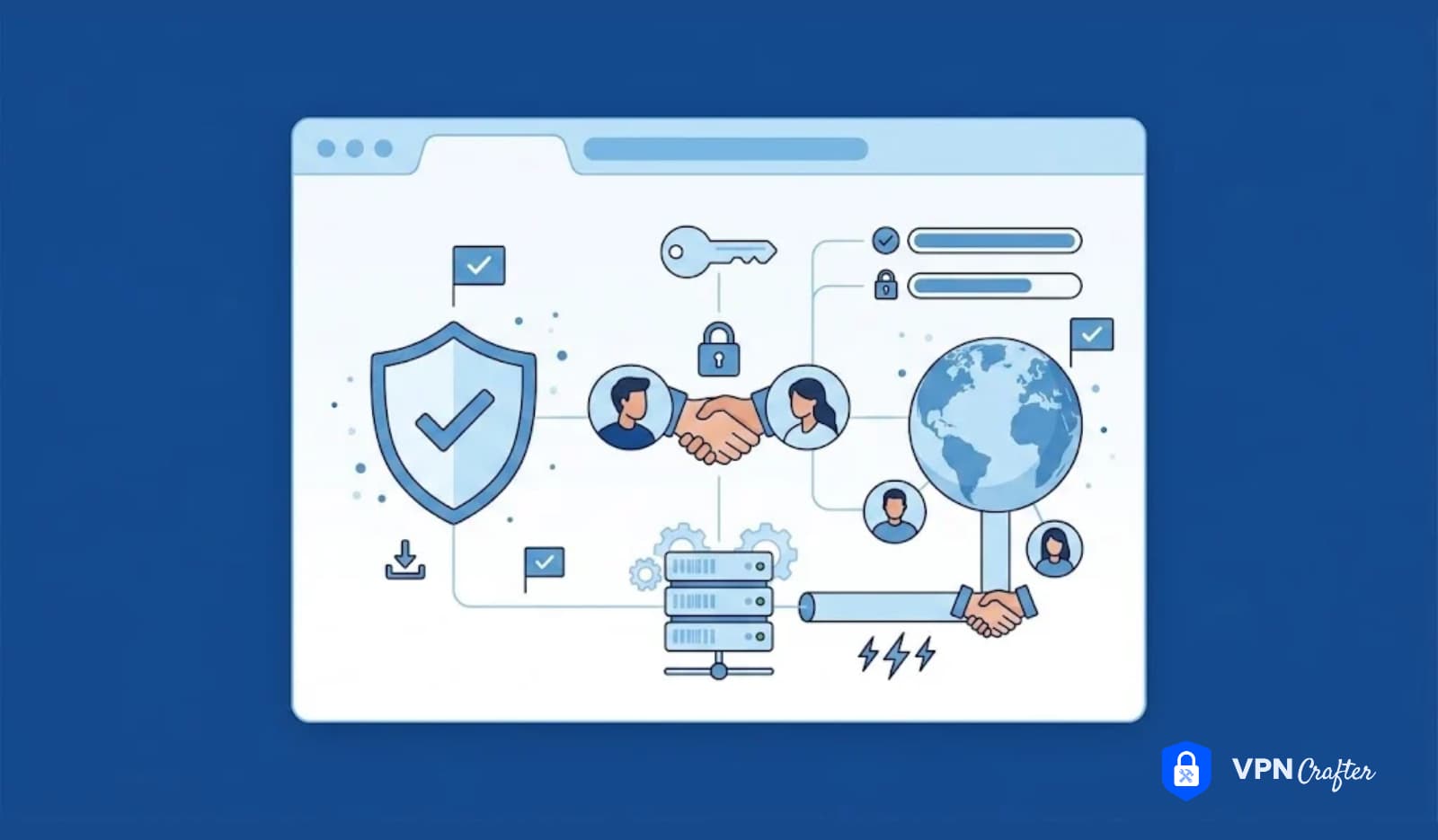
A Virtual Private Network is a service that creates a secure, encrypted connection between your device and the internet. Imagine drawing a private tunnel through a crowded public square. Everyone outside the tunnel sees that something is moving, but nobody can see what it is or where it is going.
The Core Concepts Every Beginner Must Know
Encryption is the process of scrambling your data into unreadable code. Even if someone intercepts it, they cannot understand it without the decryption key.
IP Address Masking means hiding your real location. When you connect through a VPN server in Tokyo, websites think you are browsing from Tokyo, not from your actual living room in Toronto.
Secure Tunneling describes how your data travels. Instead of moving openly across the internet, it passes through an encrypted tunnel that shields it from observers.
These three concepts—encryption, IP masking, and tunneling—form the foundation of every VPN service. Understanding them separates informed users from those who simply click “connect” without knowing why.
VPN Meaning in Everyday Terms
Think of a VPN as a private translator and bodyguard for your internet connection. The bodyguard (encryption) protects your messages from eavesdroppers. Meanwhile, the translator (IP masking) tells websites you are coming from somewhere else. Together, they give you control over who sees what you do online.
How Does a VPN Work? A Three-Step Breakdown
Understanding how does a VPN work does not require a computer science degree. Here is the process broken into three simple steps.
Step 1: Authentication
When you open your VPN app and tap connect, your device and the VPN server perform a digital handshake. They verify each other’s identities using cryptographic keys. This prevents impostor servers from intercepting your connection. The entire process happens in milliseconds.
Step 2: Tunnel Creation
Once authenticated, the VPN app and server establish an encrypted tunnel. All data leaving your device gets wrapped in a layer of encryption before entering this tunnel. Your internet service provider can see that you are sending data, but the contents remain completely hidden.
Step 3: Secure Routing
Your encrypted data travels to the VPN server, where it gets decrypted and sent to its final destination—whether that is Google, Netflix, or your online banking portal. The website responds to the VPN server, which encrypts the reply and sends it back through the tunnel to your device.
What This Means for Your Privacy
- Your ISP cannot see which websites you visit
- Websites cannot see your real IP address or physical location
- Hackers on public Wi-Fi cannot intercept your data
- Government surveillance systems face significantly greater difficulty monitoring your activity
Does a VPN Slow Down Your Internet?
Sometimes, yes. Encryption adds processing overhead, and routing through a remote server increases distance. However, modern protocols like WireGuard minimize this impact so effectively that many users notice no difference. In some cases, a VPN actually improves speeds because it prevents your ISP from throttling specific activities like streaming or gaming.
VPN Protocols Explained: WireGuard, OpenVPN, and IKEv2
A VPN protocol is the set of rules that governs how your device and the VPN server communicate. Choosing the right protocol affects your speed, security, and ability to bypass restrictions.
WireGuard: The Modern Standard
WireGuard has become the default protocol for most premium VPN providers in 2026. Its codebase contains roughly 4,000 lines compared to OpenVPN’s 600,000+ lines, making it easier to audit and less vulnerable to bugs.
In real-world benchmarks, WireGuard delivers 800–950 Mbps on a 1 Gbps connection, while OpenVPN over UDP manages only 200–380 Mbps. WireGuard also uses 40–60% less battery on mobile devices, making it ideal for smartphones and laptops.
OpenVPN: The Versatile Veteran
OpenVPN has served users reliably for over two decades. It runs on either TCP or UDP and can disguise itself as regular HTTPS traffic on port 443, making it the best choice for bypassing restrictive firewalls. While slower than WireGuard, OpenVPN remains invaluable in countries with heavy censorship or corporate networks that block modern protocols.
IKEv2: The Mobile Specialist
IKEv2 excels at maintaining connections when your device switches between networks—say, from home Wi-Fi to mobile data. Native support in iOS and Android means lower battery consumption during network handoffs. However, many providers now favor WireGuard even for mobile because its roaming capabilities have caught up.
Protocol Comparison at a Glance
Table
| Feature | WireGuard | OpenVPN | IKEv2 |
|---|---|---|---|
| Speed | Very High | Moderate | High |
| Security | Excellent | Excellent | Good |
| Mobile Battery | Excellent | Moderate | Good |
| Firewall Bypass | Moderate | Excellent | Moderate |
| Setup Complexity | Very Low | High | Moderate |
Source: TunnelPicks 2026 benchmark data
For the vast majority of beginners, WireGuard is the protocol to choose. It is fast, secure, and effortless to use. Reserve OpenVPN for situations where WireGuard gets blocked.
Why Do You Need a VPN? Real Reasons Beyond the Marketing
Marketing departments love claiming that everyone needs a VPN for everything. Let us separate genuine benefits from exaggerated hype.
1. Public Wi-Fi Security
Coffee shops, airports, hotels, and libraries offer convenient internet access. They also offer convenient access for hackers. Over 68% of data breaches in 2024 originated from insecure public Wi-Fi access, according to Cybersecurity Ventures. McAfee’s 2025 Travel Security Report found that 25% of travelers experienced hacking attempts via public Wi-Fi, and 40% reported actual data loss or compromise.
A VPN encrypts your connection instantly, rendering intercepted data useless to attackers.
2. Streaming and Geo-Restrictions
Netflix, BBC iPlayer, Disney+, and countless other platforms restrict content based on your location. A VPN allows you to appear as if you are browsing from another country, unlocking libraries unavailable in your region. Sports enthusiasts frequently use this capability too. For example, cricket fans traveling abroad often want to know How to Watch IPL on JioCinema outside India, and a VPN provides secure access to home streaming services while traveling.
3. Preventing ISP Throttling
Some internet providers deliberately slow down your connection when they detect streaming, gaming, or large downloads. Because a VPN hides what you are doing, your ISP cannot selectively throttle specific activities. Many users report faster streaming speeds with a VPN than without one.
4. Remote Work Protection
If you access company files, client data, or internal tools from home or while traveling, a VPN adds an essential security layer. For organizations, a Corporate VPN Solution provides centralized management, allowing IT administrators to control access permissions, monitor connections, and enforce security policies across distributed teams.
5. Online Gaming
Gamers face DDoS attacks from opponents and latency issues caused by poor routing. A VPN shields your real IP address from attackers and can sometimes improve routing efficiency. However, beginners often ask: Can a VPN Increase My Ping? The answer depends on server location. Connecting to a distant VPN server raises latency, but choosing a nearby server—or one close to the game server—can actually reduce ping if your ISP has poor peering. Competitive players seeking the Best VPN for Gaming should prioritize providers with low-latency servers, WireGuard protocol support, and dedicated gaming optimizations.
6. Evading Censorship
In countries with strict internet controls, VPNs allow citizens to access blocked websites, social media, and news outlets. Journalists, researchers, and activists in restrictive regions rely on VPNs to communicate safely and access uncensored information.
Types of VPNs: Finding the Right Fit for Your Life
Not every VPN serves the same purpose. Understanding the different categories helps you choose wisely.
Personal VPNs
These are the consumer apps you download to your phone, laptop, or tablet. Providers like NordVPN, ExpressVPN, and Surfshark fall into this category. They prioritize ease of use, streaming compatibility, and privacy for individual users. Most operate on monthly or annual subscriptions.
Business and Corporate VPNs
Organizations require fundamentally different capabilities. A Corporate VPN Solution focuses on access control, user management, audit logging, and compliance reporting. IT teams can restrict which employees access sensitive resources, monitor connection logs, and ensure that company data never travels over unsecured networks. Consumer-grade VPNs cannot meet these enterprise requirements.
Remote Access VPNs
Universities and small businesses often use remote access VPNs to let individuals connect to private networks from anywhere. A professor accessing a campus database from home, or an employee logging into a company server while traveling, both use remote access VPNs.
Site-to-Site VPNs
Large corporations with multiple offices use site-to-site VPNs to connect entire networks. Headquarters in New York and a branch in London can share files and communicate as if they were on the same local network, thanks to an always-on encrypted bridge between locations.
Decentralized VPNs
An emerging category worth understanding is Decentralized VPNs. Unlike traditional services that route traffic through company-owned servers, decentralized VPNs use peer-to-peer networks of individual nodes. Users share their bandwidth with others, creating a distributed infrastructure with no central authority.
The theoretical advantage is greater censorship resistance—there is no single company for authorities to pressure or shut down. However, Decentralized VPNs remain experimental. Speeds fluctuate, trust models differ from established providers, and the technology is still maturing. For beginners in 2026, traditional VPNs offer far more reliability and accountability.
How to Choose a VPN When You Know Nothing About Tech
Walking into the VPN marketplace as a beginner feels overwhelming. Every provider claims to be the fastest, most secure, and easiest to use. Here is a practical checklist to cut through the noise.
1. Verify the No-Logs Policy
A no-logs policy means the provider does not store records of your online activities. However, claims mean little without proof. Look for providers that have undergone independent third-party audits. Without external verification, “no logs” is just a marketing phrase.
2. Check Server Coverage
More server locations generally mean better performance and more options for bypassing restrictions. If you need access to content in specific countries, verify that the provider maintains servers there. Also check whether they own their hardware or rent it. Owning physical servers provides greater security control.
3. Evaluate Connection Speeds
Modern protocols like WireGuard minimize speed loss. Many top providers offer money-back guarantees, allowing you to test performance risk-free. If streaming or gaming matters to you, run speed tests with and without the VPN during your trial period.
4. Assess Device Compatibility
Ensure the VPN works on every device you use: Windows, macOS, iOS, Android, and ideally Linux. Some providers also offer browser extensions, router support, and smart TV apps. Check how many simultaneous connections are allowed. A family of four might need six or seven devices connected at once.
5. Test the User Experience
As a beginner, you want an app that connects with one tap. Avoid providers with cluttered interfaces, confusing settings, or poor customer support. Reputable services offer 24/7 live chat. Send a test question before subscribing and measure response time and clarity.
6. Understand the Jurisdiction
VPN providers must follow the laws of their home country. Some nations participate in intelligence-sharing alliances like the Five Eyes, Nine Eyes, or Fourteen Eyes. Privacy-conscious users often prefer providers based in jurisdictions with strong data protection laws, such as Switzerland or Panama.
7. Consider Free Options Carefully
Many beginners search for the Best free vpn service to avoid subscription costs. While some reputable providers offer limited free tiers with data caps or fewer servers, completely free VPNs often carry hidden costs. They may sell your browsing data, inject advertisements, or provide dangerously weak security. If privacy matters to you, investing a few dollars monthly in a verified paid service is infinitely wiser than trusting a free provider with unknown motives.
8. Explore Business Opportunities
If you run a company and want to offer VPN services under your own brand, investigate White label VPN Development. This approach allows businesses to launch branded VPN services without building server infrastructure from scratch. Telecom providers, cybersecurity firms, and tech entrepreneurs use white-label solutions to enter the privacy market quickly and cost-effectively.
Setting Up a VPN: A Step-by-Step Guide for Absolute Beginners
You have chosen a provider. Now let us get you connected. The process takes under five minutes on any device.
On Your Smartphone
- Download the official app from the App Store or Google Play Store
- Create an account or log in with existing credentials
- Grant permissions when the app requests VPN configuration access
- Tap “Quick Connect” or manually select a server location
- Verify the connection by checking for the VPN icon in your status bar
On Your Computer
- Download the application from the provider’s official website
- Install and launch the software
- Log in with your account details
- Select a server and click connect
- Enable the kill switch in settings to block internet access if the VPN drops
On Your Router
Installing a VPN on your router protects every connected device—including smart TVs, gaming consoles, and IoT gadgets that lack native VPN apps. The process varies by router model but generally involves logging into your router’s admin panel, navigating to VPN settings, and entering configuration details from your provider. If router configuration feels intimidating, stick to per-device apps for now.
Essential Settings for Beginners
- Kill Switch: Blocks all internet traffic if the VPN disconnects unexpectedly
- Auto-Connect: Starts the VPN automatically when your device boots
- DNS Leak Protection: Ensures DNS requests stay inside the encrypted tunnel
- Split Tunneling: Lets you choose which apps use the VPN and which bypass it
Common VPN Myths That Fool Beginners
The internet overflows with misinformation about VPNs. Let us dismantle the most persistent myths.
Myth 1: “A VPN Makes You Completely Anonymous”
False. A VPN hides your IP address and encrypts your traffic, but it does not make you invisible. If you log into Facebook, Google, or Amazon while connected, those platforms still know exactly who you are. Browser fingerprinting, cookies, and account logins can all identify you. A VPN is a privacy tool, not an invisibility cloak.
Myth 2: “Free VPNs Work Just as Well as Paid Ones”
Rarely true. Running VPN servers costs serious money for electricity, bandwidth, and maintenance. If a service charges nothing, they monetize you differently—often by selling your browsing data, showing intrusive ads, or offering weak encryption. Some free providers have been caught injecting malware or stealing user information. The Best free vpn service options from reputable companies come with strict limitations precisely because unlimited free service is unsustainable.
Myth 3: “You Only Need a VPN for Illegal Activities”
This harmful myth discourages ordinary people from protecting themselves. VPNs are legal in most countries and serve legitimate purposes: securing public Wi-Fi, protecting remote work connections, preventing ISP throttling, and accessing content you already pay for while traveling. Using a VPN for online banking or streaming is entirely lawful in the vast majority of jurisdictions.
Myth 4: “VPNs Protect You from Viruses”
A VPN encrypts your internet connection. It does not scan downloads for malware, block phishing websites, or remove infections from your device. You still need antivirus software, regular system updates, and cautious browsing habits. Think of a VPN as a security guard for your connection, not a doctor for your computer.
Myth 5: “Incognito Mode Does the Same Thing as a VPN”
Private browsing mode only prevents your browser from saving history and cookies locally. Your ISP, employer, and the websites you visit can still see everything you do. A VPN protects your traffic in transit. These tools serve completely different purposes and work best together, not as replacements for each other.
What a VPN Cannot Do (And What You Need Instead)
Understanding limitations prevents dangerous overconfidence. Here is what else belongs in your security toolkit.
A VPN Cannot Stop Phishing Attacks
If you click a malicious link and enter your password on a fake banking site, encryption will not save you. You need critical thinking, spam filters, and anti-phishing tools. Social engineering attacks are surging globally. Consider how often people report WhatsApp Hacked after clicking suspicious links or sharing verification codes with strangers pretending to be support agents. A VPN cannot prevent human error.
A VPN Cannot Replace Strong Passwords
If your password is “password123” or “qwerty,” no amount of encryption helps. Use a password manager to generate unique, complex passwords for every account. Enable two-factor authentication everywhere it is offered.
A VPN Cannot Prevent Oversharing
If you post your home address, vacation plans, and personal details on social media, a VPN cannot undo that exposure. Digital privacy begins with personal discretion.
A VPN Cannot Clean Infected Devices
If your phone or laptop already harbors malware, a VPN will not remove it. Run regular antivirus scans, keep operating systems updated, and avoid downloading software from untrusted sources.
Expert Insights: What Privacy Professionals Recommend
We consulted cybersecurity specialists and privacy advocates to gather practical advice beyond basic tutorials.
Insight 1: Start With One Clear Use Case
“Most beginners fail because they try to use a VPN for everything at once,” says Elena Vasquez, a privacy consultant based in Madrid. “Pick one reason—public Wi-Fi security, streaming, or remote work—and master that first. Once you understand how it helps in one area, expanding to others becomes natural.”
Insight 2: Protocol Choice Matters Less Than Provider Trust
“Beginners obsess over WireGuard versus OpenVPN,” notes David Chen, a network security engineer in Singapore. “The protocol is important, but the provider’s integrity matters more. A shady company running WireGuard is still a shady company. Choose transparency over technical specifications.”
Insight 3: Free Trials Reveal More Than Reviews
“Online reviews can be bought or biased,” warns Amara Okafor, a digital rights advocate in Lagos. “A three-day trial tells you everything. Test speeds during peak hours, try connecting from different networks, and contact customer support with a question. Your own experience beats any review.”
Insight 4: Layer Your Defenses
“A VPN is one layer in a multi-layered security strategy,” emphasizes Lars Jensen, a CISO at a Copenhagen fintech firm. “Combine it with password managers, two-factor authentication, encrypted messaging, and regular backups. No single tool solves every problem.”
Insight 5: Monitor Regulatory Changes
“VPN laws change constantly,” observes Priya Sharma, a tech policy researcher in New Delhi. “Russia, China, and several Middle Eastern countries have restricted or banned certain VPN uses. If you travel frequently, understand local laws before connecting.”
VPN Statistics and Industry Data
Contextualizing your VPN knowledge within the broader digital landscape reveals powerful trends.
Global Market Growth
The worldwide VPN market hit $86.02 billion in 2026 and is projected to reach $182.09 billion by 2030, expanding at a 20.6% CAGR. North America leads with 36% revenue share, while Asia-Pacific grows fastest at 15.96% CAGR.
Consumer Adoption Rates
- Global average: 23% of internet users aged 16+ use a VPN
- UAE: 85.50% download-based adoption, the highest globally
- United Kingdom: 27.48% and climbing steadily
- United States: 32% of adults in 2025, down from 46% in 2023 as employer-mandated work VPNs declined
Why People Actually Use VPNs
According to AllAboutCookies’ April 2026 survey of 1,000 US adults:
Table
| Reason | Percentage |
|---|---|
| General internet safety | 75% |
| Public Wi-Fi security | 67% |
| Changing IP address | 62% |
| Streaming services | 54% |
| Protecting data from AI companies | 40% |
Enterprise Landscape
Cisco dominates the corporate VPN market with 33.33% of tracked enterprise deployments. OpenVPN follows at 18.16% and Check Point at 18.14%. Meanwhile, 58% of knowledge workers globally now operate at least partially remote, driving sustained demand for secure connectivity solutions.
The AI Privacy Shift
Notably, 40% of VPN users now cite protection from AI companies as a motivation—a concern that barely appeared in surveys from 2023 and 2024. As AI systems become embedded in browsers, apps, and search engines by default, users increasingly seek tools that limit automated data harvesting.
Common Mistakes to Avoid When Starting With a VPN
Beginners make predictable errors. Sidestep these pitfalls to accelerate your success.
Mistake 1: Forgetting to Enable the Kill Switch
Without a kill switch, your device reverts to an unencrypted connection if the VPN drops. This exposes your real IP address and traffic instantly. Always enable this feature before browsing sensitive sites.
Mistake 2: Choosing Servers Randomly
Connecting to a server on the opposite side of the planet slows your connection unnecessarily. For best speeds, choose the server closest to your physical location. When streaming, select a server in the country hosting the content you want.
Mistake 3: Ignoring DNS Leaks
A DNS leak occurs when your device sends DNS requests outside the VPN tunnel, revealing your browsing activity to your ISP. Test for leaks using online tools, and enable DNS leak protection in your app settings.
Mistake 4: Assuming a VPN Replaces Antivirus
As discussed earlier, these tools serve different purposes. A VPN protects data in transit. Antivirus protects your device from malware. You need both.
Mistake 5: Using Outdated Apps
VPN providers release updates to patch security vulnerabilities and improve performance. Running an outdated client exposes you to known exploits. Enable automatic updates or check manually every month.
Mistake 6: Trusting Unverified Free Providers
The temptation to use completely free VPNs is strong, but the risks are real. Data logging, weak encryption, and malware injection are common problems. Stick to reputable providers, even if that means using a limited free tier rather than an unlimited shady one.
Best Practices for Everyday VPN Use
Adopt these habits to maximize security and performance.
Practice 1: Connect Before You Browse
Make connecting to your VPN the first thing you do when joining a new network. Do not check email, log into banking, or visit sensitive sites before the VPN is active.
Practice 2: Use Split Tunneling Wisely
Split tunneling lets you route some apps through the VPN while others use your regular connection. Send banking and messaging through the VPN. Let local services like weather apps use your regular connection for better speed.
Practice 3: Rotate Server Locations Periodically
Using the same server repeatedly creates patterns. Rotate between nearby servers to distribute your traffic and avoid overloading any single node.
Practice 4: Test Your Connection Regularly
Visit ipleak.net or dnsleaktest.com monthly to verify that your VPN is working correctly. These free tools confirm that your IP, DNS requests, and WebRTC data stay protected.
Practice 5: Keep Learning
The privacy landscape evolves constantly. New threats emerge. Regulations change. Protocols improve. Follow trusted cybersecurity publications and update your knowledge regularly.
Practice 6: Combine Tools for Maximum Protection
A VPN works best alongside other privacy tools. Pair it with a password manager, encrypted email, privacy-focused browser extensions, and two-factor authentication. Layered security is the only security that works.
Frequently Asked Questions
What Is a VPN and How Does It Work?
A VPN, or Virtual Private Network, creates an encrypted tunnel between your device and a remote server. Your internet traffic passes through this tunnel, hiding your IP address and protecting your data from observers.
How Does a VPN Protect Your Privacy?
A VPN encrypts your internet traffic and masks your IP address. This prevents your ISP, hackers, and surveillance systems from seeing what websites you visit or intercepting your data.
Why Do I Need a VPN?
You need a VPN if you use public Wi-Fi, want to prevent ISP throttling, access geo-restricted content, protect remote work connections, or simply value online privacy.
Do I Really Need a VPN at Home?
While home networks are generally safer than public Wi-Fi, your ISP can still monitor your browsing habits and sell that data. A VPN prevents this monitoring and adds protection against targeted attacks.
How to Use a VPN?
Download a reputable VPN app, create an account, select a server location, and tap connect. Most modern apps require just one tap to establish a secure connection.
How to Set Up a VPN?
Setting up a VPN involves downloading the app from your provider, installing it on your device, logging in, and selecting a server. Router setup requires additional configuration but protects all home devices simultaneously.
What Does a VPN Do?
A VPN encrypts your internet connection, hides your IP address, bypasses geo-restrictions, prevents ISP throttling, and secures your data on public networks.
What Does a VPN Hide?
A VPN hides your IP address, physical location, browsing activity from your ISP, and the contents of your internet traffic from network eavesdroppers.
Does a VPN Hide Your IP Address?
Yes. When connected, websites and online services see the VPN server’s IP address instead of your real one.
Can a VPN Protect Me from Hackers?
A VPN protects your data from interception on unsecured networks. However, it cannot prevent phishing, malware infections, or attacks that exploit weak passwords.
Is Using a VPN Safe?
Using a reputable paid VPN is safe and legal in most countries. Free VPNs from unknown providers may pose security risks.
Is a VPN Worth It?
For anyone who values privacy, travels frequently, works remotely, or streams content, a VPN subscription delivers significant value for a modest monthly cost.
Are VPNs Legal?
VPNs are legal in most countries, including the United States, Canada, the United Kingdom, Brazil, and most of Europe and Asia. Some countries restrict or regulate VPN usage, so check local laws if traveling.
Does a VPN Slow Down Internet?
Encryption adds minor overhead, but modern protocols like WireGuard minimize speed loss. In some cases, VPNs improve speeds by preventing ISP throttling.
Does a VPN Use More Data?
Yes, slightly. Encryption adds overhead that increases data usage by approximately 4% with WireGuard and up to 20% with OpenVPN.
Can a VPN Be Tracked?
A reputable VPN with a strict no-logs policy makes tracking extremely difficult. However, if you log into personal accounts while connected, those platforms still know your identity.
What Happens When You Turn On a VPN?
Your device establishes an encrypted connection to a VPN server. All internet traffic routes through this server, masking your IP and encrypting your data.
What Happens If a VPN Disconnects?
If your kill switch is enabled, all internet traffic stops until the VPN reconnects. Without a kill switch, your device reverts to an unencrypted connection.
Should I Leave My VPN On All the Time?
For maximum privacy, yes. However, you may disable it for local services that require your real location, such as food delivery apps or weather forecasts.
Can I Use a VPN on Multiple Devices?
Most providers allow simultaneous connections on 5–10 devices. Some offer unlimited connections.
Conclusion and Next Steps
You began this guide wondering what a VPN is and whether you need one. Now you understand the mechanics, the benefits, the limitations, and the path forward.
A VPN is not a magic shield, nor is it a tool reserved for hackers and tech experts. It is a practical, affordable utility that encrypts your connection, masks your location, and protects your data from prying eyes. In a world where personal information is harvested, analyzed, and monetized at unprecedented scale, taking control of your digital privacy is one of the smartest decisions you can make.
If you are ready to start, choose a provider that matches your needs. Test it. Learn its features. Make connecting a habit. Over time, using a VPN will feel as natural as locking your front door.
White label VPN Development offers businesses a proven pathway to launch branded privacy services without building infrastructure from scratch. Gamers seeking competitive advantages benefit from understanding whether Can a VPN Increase My Ping, which helps optimize server selection. Sports fans abroad can learn How to Watch IPL on JioCinema securely to stay connected to home content. Meanwhile, organizations with remote teams rely on a Corporate VPN Solution for the centralized control and compliance that consumer apps cannot match.
At VPN Crafter, we believe online privacy belongs to everyone—not just technical experts. Our platform combines military-grade encryption, intuitive apps, and transparent no-logs policies to deliver security without complexity. Whether you need personal protection, business-grade solutions, or white-label infrastructure, we build tools that put you in control.
Your data belongs to you. Let us keep it that way. If you want to build your own VPN brand, connect with VPN Crafter and take your ultimate step toward true digital privacy.